by The Open University
Available in 42 free installments
Owner:
4 = visual representation
5 = linear notes.
Of course, you could describe numbers 1?4 as all being ?visual representations?, but the critical question is whether you feel comfortable with diagrams as a form of note taking. One key advantage of the diagram style is that relationships between concepts or topics within your presentation can be shown easily. It would take a great number of words to describe these relationships in written note form. The other advantage of diagram-style notes is that a relatively large number of ideas can be put on one page and easily seen together. This is not always possible with linear notes, where you might have to turn back several pages to link with another idea.
Diagram-style notes can also act as part of your presentation for precisely the reasons above. If they are put on an OHT and partially covered up, you can see the topics and reveal them when you want the audience to see the titles. So they also act as a reminder to yourself about the order in which you are going to deal with a topic ? so you may not even need a set of notes or script except as back-up.
The next task is to put the groups of information, still in note form, into some sensible order. The most common methods are:
chronological order
order of importance
ascending order of complexity
descending order of familiarity
cause and effect
a narrative sequence.
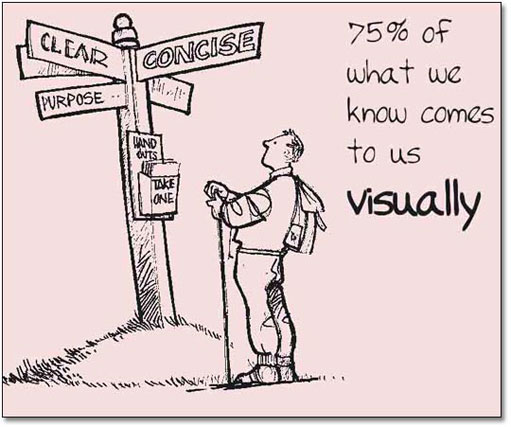 Figure 7: Visual knowledgeLong description
Once you have a skeleton outline of the main body of your presentation, you can think about how you will actually deliver the material to your audience.
In other words, make use of visual aids in the main body of your talk. This has several purposes:
Your audience can see a clear statement of your main points.
If you cover an OHT with a sheet of thin paper and only reveal a bit at a time, you have a set of notes to expand upon.
If you are feeling nervous, you can divert attention from yourself by giving the audience something to look at. Your audience can assimilate information from two ways at once ? from your slides and from what you say. So, they are being stimulated visually and aurally. People tend to remember things that they see, or things that they have heard when they are stated with emphasis, or in a particular way.
You have a permanent record of your presentation and may be able to re-use parts of it again.
You have a ready-made way of producing handouts for your audience at the end of your presentation.
By using some simple graphics, such as short tables, shapes (boxes, ovals, circles, etc.) and some supporting text, you will find it becomes very easy to start building up ideas for visual aids which are effective in your presentation. You may already be starting to think about how you might deliver them, and this is addressed later on in the unit.